How to invite all friends in Facebook Page by one click

How to invite all friends in Facebook Page by one click

How to invite all friends in Facebook Page by one click

You can select invite all your friend by using this simple java script code.

just follow this step.

1.got to your facebook page ex:- www.facebook.com/prej3662

2.Click on invite friend.

LATEST EMOTICONS | SMILEY | TRICKS | TIPS 2010-2013 COLLECTIONS

NEW EMOTICONS | SMILEY | TRICKS | TIPS 2010-2013 COLLECTIONS

PLEASE HIT LIKE BEFORE YOU LEAVE .♡♡♡♡♡♡♡♡♡♡♡

** FOR WALL POST ONLY NOT WORKING ON CHATBOX **
@@[1:[0:1:Change this text and then i will post BlueStatus w/ Link profile who click]]
@@[1:[0:1:CheerZ , HAPPY HAPPY BIRTHDAY ^.^ -- `ClickMeToSeeTheMagic~]]

Bluetooth Hacking Software for Mobile

Bluetooth Hacking Software for Mobile


Bluetooth Hacking Softwares Free Download
Most of the Mobile users would be aware of the powers of Bluetooth. In this Post lies a trick with which you can hack an immense majority of people using Bluetooth devices . Below are provided some software with which you can hack any mobile with Bluetooth functionality. 
And Access the Victims Messages, Phone book, Make a free Call , Send a free sms and a lot more.


SmS Duniya

15 sites to send free SMS online


Over 15 Ways to Send Free SMS in India and Worldwide
SMS is one of the most popular means of communication in today's world. Messages are transferred within seconds to any country but at nominal rates. But online services exist that allow you to send SMSes free of cost!
Have a look at these 15 services that allow you to send SMSes for free, some work only in India and others Worldwide

FooSMS : has been top on the list of free sms services, as the name comes in "Foo" means blowing air from mouth, your message is delivered at that speed. No registration required. Works in India.


how to link adsense with blogger

Sign up for AdSense to show ads
  1. Sign in to Blogger.
  2. Click the blog you want to run ads on.
  3. In the left menu, click Earnings.
  4. Click Sign up for AdSense. If you don't see the button, it means your blog might not qualify for AdSense. ...
  5. Fill out the form with your Google Account or create a new one.

how to link another adsense account to blogger

  link another adsense account to blogger
If you're using a Layouts-enabled blog, you can associate an AdSense ad unit with a different AdSense account. To do so, simply follow these steps:
  1. Log into your Blogger account at https://www.blogger.com
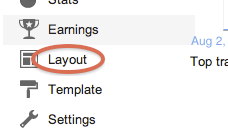
  2. Go to your blog's layout template page by clicking Layout on the left navigation bar.

  3. Blogger layout
  4. Click on the AdSense gadget
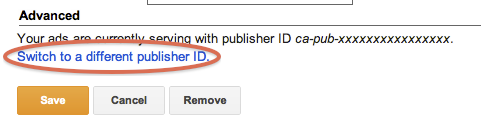
  5. Click on the Switch to a different publisher ID link at the bottom.

  6. Change pubid
  7. Enter your AdSense login (the email address you use to sign in to AdSense).
We'll then update your Google ads to be associated with your preferred AdSense account.

Featured post

10 Helpful AI Tools Every Blogger Should Use

10 Helpful AI Tools Every Blogger Should Use. All listed tools are AI-based, copyright-friendly, and ideal for improving writing, visuals, a...